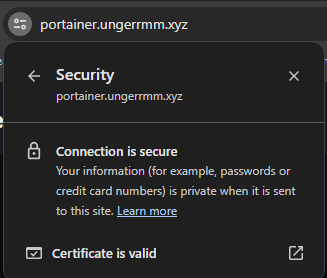
Browser warnings on my internal sites got old, especially past 20 or so self-hosted services. This setup gets trusted certificates for internal services using a DNS challenge, and the services stay behind the firewall. It has two goals: remove the browser warning, and use HTTPS end to end, even on the LAN.
You'll need
- A domain you own
- Docker or Proxmox to run Nginx Proxy Manager (NPM)
- A local DNS server (I use Pi-hole)
1. Create an API token
Your domain's nameservers must be with a provider NPM supports for the DNS challenge. I use Cloudflare, so these steps are Cloudflare-specific. If you use another provider, follow its docs.
- In Cloudflare, open your profile (upper right), then My Profile, then API Tokens.
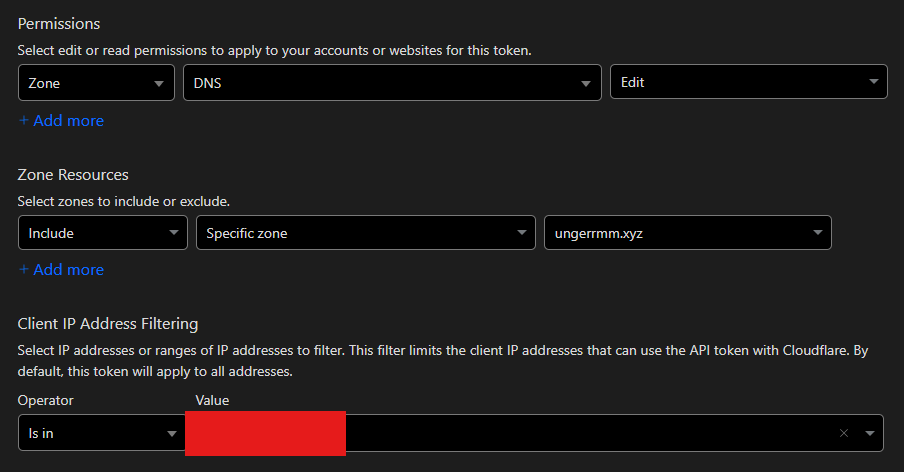
- Create a token from the "Edit zone DNS" template.
- Under Zone Resources, limit it to your one zone. That's the only default you need to change.
- If you have a static IP, as I do, fill in Client IP Address Filtering too.
- Click Continue to summary, then Create Token. Save the token for the next step.
2. Set up NPM and the certificate
NPM should never be reachable from the internet, and neither should the services behind it. I run it in Docker in production. For a quick test on Proxmox, tteck's helper script works (thanks, tteck).
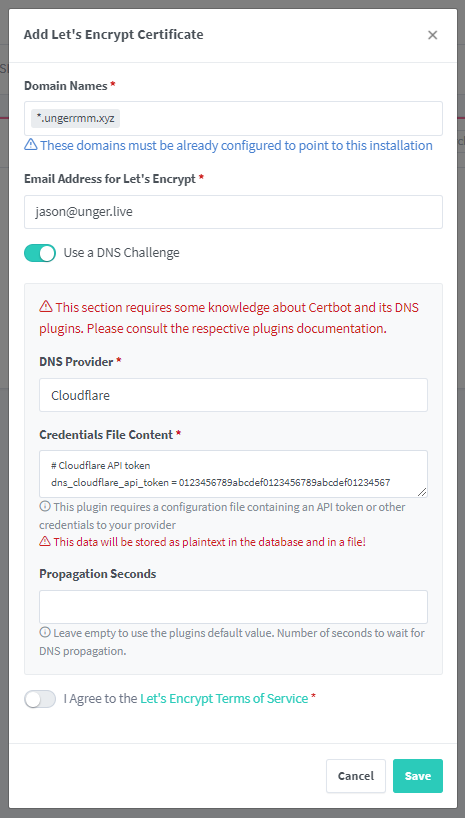
- In NPM, go to SSL Certificates and click Add SSL Certificate.
- Use a wildcard for the domain name. Otherwise every subdomain gets listed in the public certificate record, and I'd rather not advertise them.
- Check "Use DNS Challenge" and paste your API token over the placeholder (012345...).
- Check "I Agree..." and save.

3. Add your services
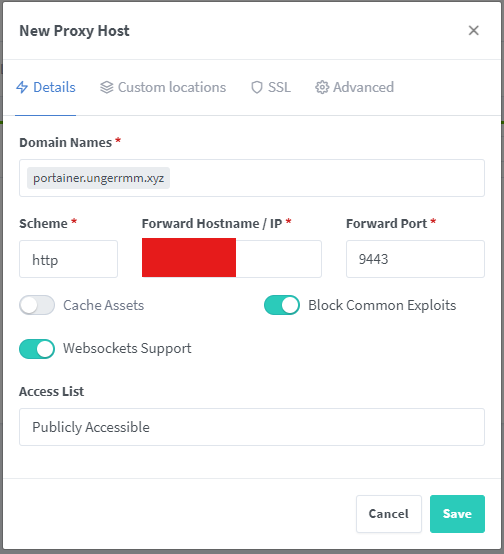
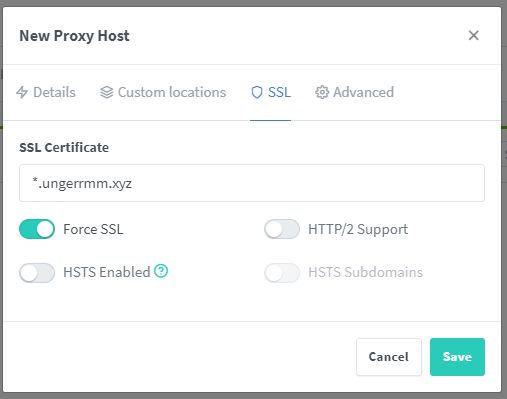
Go to Hosts > Proxy Hosts and click Add Proxy Host. Enter the domain name you want to use, then the service's IP and port. On the SSL tab, select the wildcard certificate and save. Repeat for each service.
4. Add DNS entries
In your local DNS server, add a record for each service name and point it at NPM's IP address.
After that, visiting the service by its domain name gives you HTTPS. Not every app works this way out of the box. Some need extra NPM settings to pass the original client IP through in the headers. I haven't looked into that much yet.